Organization accounts
Organization and company owners can manage members, control access, and enforce security across their Docker environments. You perform these tasks in Docker Home, which provides centralized observability, access management, and security controls.
A Docker organization is a collection of teams and repositories under centralized management. Organization administrators group members and assign repository access at scale.
As an organization or company owner, you can:
- Create and manage companies and organizations
- Assign roles and permissions to members
- Group members into teams to manage access by project or role
- Set company-wide policies, including SCIM provisioning and security enforcement
For how individual, organization, and company accounts compare, see Accounts. For individual accounts, see Docker individual accounts.
Organization structure
The following diagram shows how organizations relate to teams and members.
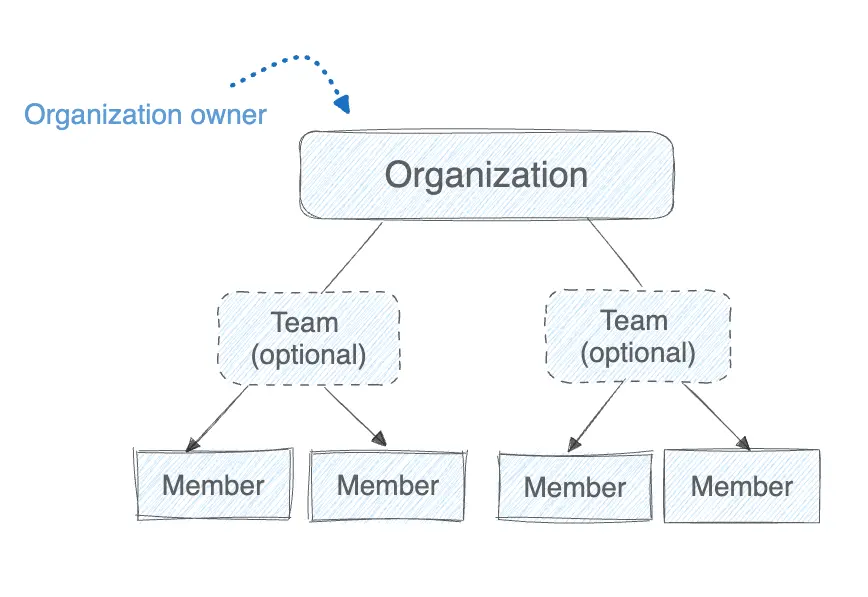
An organization includes owners, members, and optional teams. Organization owners have full administrator access to manage members, roles, and teams.
Team
Teams are optional and let you group members to assign repository permissions collectively. Teams simplify permission management across projects or functions.
Member
A member is any Docker user added to an organization. Organization and company owners can assign roles to members to define their level of access.
For details about each role and its permissions, see Roles and permissions.
For how companies relate to organizations, see Company structure.
Next steps
Learn how to manage organizations in the following sections.