Docker MCP Catalog and Toolkit
Model Context Protocol (MCP) is an open protocol that standardizes how AI applications access external tools and data sources. By connecting LLMs to local development tools, databases, APIs, and other resources, MCP extends their capabilities beyond their base training.
The challenge is that running MCP servers locally creates operational friction. Each server requires separate installation and configuration for every application you use. You run untrusted code directly on your machine, manage updates manually, and troubleshoot dependency conflicts yourself. Configure a GitHub server for Claude, then configure it again for Cursor, and so on. Each time you manage credentials, permissions, and environment setup.
Docker MCP features
The MCP Toolkit and MCP Gateway solve these challenges through centralized management. Instead of configuring each server for every AI application separately, you set things up once and connect all your clients to it. The workflow centers on three concepts: catalogs, profiles, and clients.
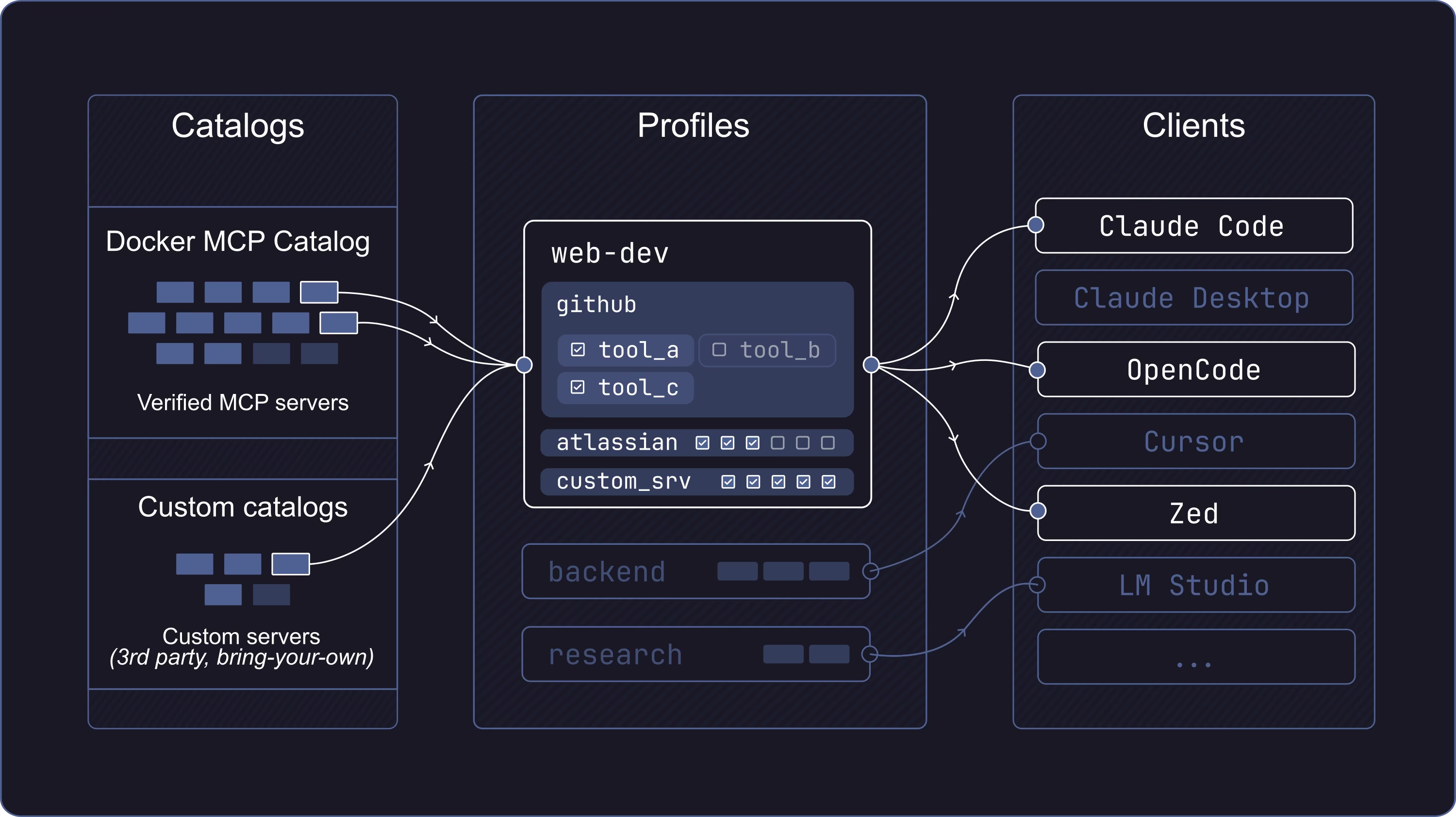
Catalogs are curated collections of MCP servers. The Docker MCP Catalog provides 300+ verified servers packaged as container images with versioning, provenance, and security updates. Organizations can create custom catalogs with approved servers for their teams.
Profiles organize servers into named collections for different projects. Your "web-dev" profile might use GitHub and Playwright; your "backend" profile, database tools. Profiles support both containerized servers from catalogs and remote MCP servers. Configure a profile once, then share it across clients or with your team.
Clients are the AI applications that connect to your profiles. Claude Code, Cursor, Zed, and others connect through the MCP Gateway, which routes requests to the right server and handles authentication and lifecycle management.